A professional website has become one of the most important business assets in today’s digital economy. Before contacting a company, customers almost always visit its website to evaluate credibility, services, and professionalism. Whether a business operates locally in growing markets. A strong online presence directly influences trust and growth.
However, many growing businesses struggle with traditional website development. High costs, technical complexity, and constant dependence on developers often slow down digital progress. Businesses today need websites that are fast to build, easy to manage, and flexible enough to evolve with growth.
This is where Zoho Sites offers a practical solution. Designed for modern businesses, it enables companies to build, manage, and optimize professional websites without coding knowledge.it build and manage a professional website with Zoho Sites.
In this guide, you’ll learn how businesses can:
- Build a professional website quickly
- Manage content efficiently
- Optimize websites for performance and SEO
What is Zoho Sites?
Who Should Use Zoho Sites?
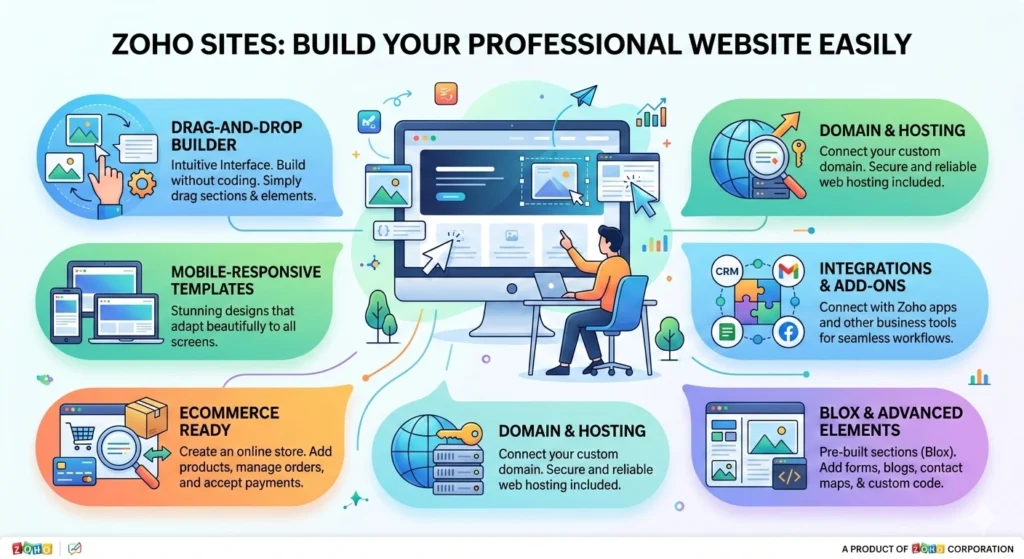
Zoho Sites is a no-code website builder developed by Zoho that allows businesses to create professional websites through a simple visual interface.
Instead of relying on technical development teams, businesses can design and manage websites independently using drag-and-drop tools. The platform is built specifically for organizations that want control, flexibility, and scalability without complexity.
It also connects seamlessly with the wider Zoho ecosystem, helping businesses manage marketing, leads, and customer relationships from one environment.
Key Features of Zoho Sites
- Drag-and-drop website builder
- Built-in SEO optimization tools
- Mobile-responsive templates
- Custom domain connection
- Integration with Zoho business applications,
Secure hosting and performance optimization
Who Should Use Zoho Sites?
Zoho Sites is ideal for businesses that need professional websites without technical overhead.
Best suited for:
- Small and medium businesses
- Startups launching digital operations
- Consultants and freelancers
- Marketing and creative agencies
Growing companies expanding online presence
Why Growing Businesses Need a Smart Website Solution
A website today functions as more than an online brochure. It supports marketing campaigns, generates leads, builds brand credibility, and helps customers make informed decisions.
As businesses grow, website requirements also evolve. Traditional development models often fail to keep up with frequent updates and changing business needs.
Smart website platforms simplify creation, updates, and optimization — allowing businesses to focus on growth rather than technical maintenance.
Common Challenges Businesses Face
Many organizations experience similar issues:
- High website development costs
- Dependence on developers for small updates
- Slow content publishing processes
- Poor SEO structure affecting visibility
- Difficulty scaling websites as business expands
How Zoho Sites Solves These Problems
Zoho Sites addresses these challenges through simplicity and automation:
- Edit website content without coding
- Built-in SEO tools improve search visibility
- Faster website setup and launch
- Reduced maintenance effort
- Lower long-term operational costs
How to Build a Business Website with Zoho Sites
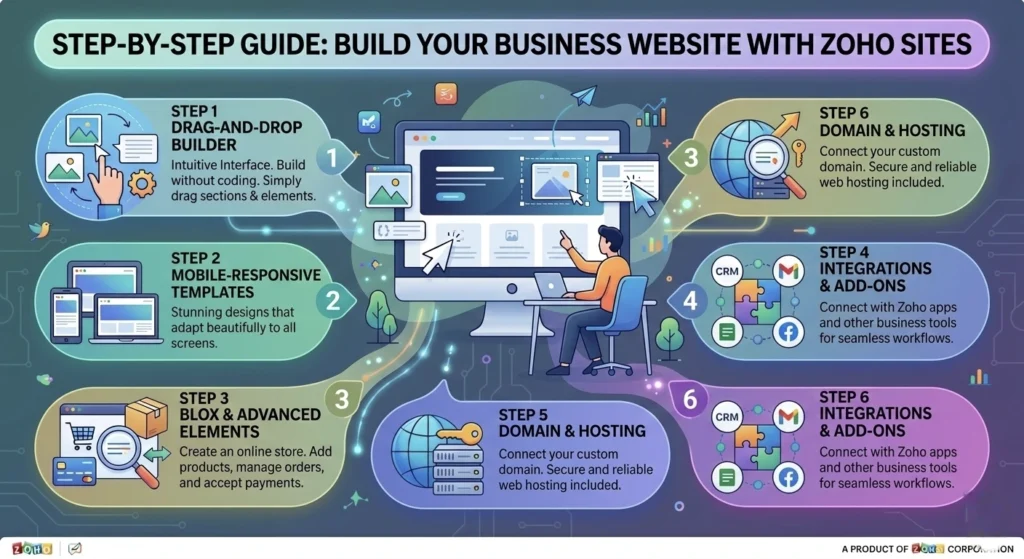
Creating a business website using Zoho Sites is straightforward. The platform simplifies setup so businesses can move from idea to live website quickly.
Step 1: Choose a Business Template
Start by selecting an industry-relevant template.
- Pick a layout aligned with your business type
- Choose a design matching brand identity
- Reduce website setup time significantly
Templates provide a professional starting structure that can be customized later.
Step 2: Customize Pages with Drag-and-Drop
Use the visual editor to personalize your website.
- Add text, images, and content sections
- Adjust layouts easily
- Apply brand colors and typography
- Create consistent visual identity
No technical skills are required.
Step 3: Add Important Business Pages
Every professional website should include:
- Home Page
- About Page
- Services or Products Page
- Blog Page
- Contact Page
These pages form the foundation of business communication and customer engagement.
Step 4: Connect Your Custom Domain
Using a branded domain name:
- Strengthens professionalism
- Builds customer trust
- Makes your website easier to remember and find
Step 5: Publish Your Website
Before going live:
- Review website content
- Test mobile responsiveness
- Check navigation and page structure
Once verified, publish your website instantly.
Best Practices for Managing a Zoho Sites Business Website
Launching a website is only the beginning. Consistent management ensures long-term performance and relevance.
Keep Content Updated
- Update services and business information
- Publish blog articles regularly
- Refresh visuals and announcements
- Keep information accurate for visitors
Optimize Pages for SEO
- Use relevant business keywords naturally
- Write clear meta titles and descriptions
- Maintain proper heading hierarchy (H1–H3)
- Optimize images and page structure
Use Analytics to Track Performance
Data helps improve website effectiveness.
- Monitor visitor traffic
- Identify high-performing pages
- Improve content based on user behavior
Integrate with Zoho Tools
Zoho Sites becomes more powerful when connected with other Zoho applications:
- Connect Zoho CRM for customer management
- Use Zoho Campaigns for email marketing
- Capture leads using Zoho Forms
This creates a unified digital business system.
Zoho Sites SEO Features for Business Websites
Search visibility plays a major role in website success. Zoho Sites includes built-in SEO capabilities such as:
- Custom meta titles and descriptions
- Mobile-friendly website design
- Fast page loading performance
- Automatic sitemap generation
- Clean URL structure
These features help businesses improve discoverability without advanced technical setup.
Zoho Sites vs Traditional Website Development
Zoho Sites vs Traditional Website Development
|
Factor |
Zoho Sites |
Traditional Development |
|---|---|---|
|
Cost |
Affordable subscription |
High upfront investment |
|
Development Time |
Hours or days |
Weeks or months |
|
Coding Required |
No |
Yes |
|
Maintenance |
Easy self-management |
Developer dependent |
|
Updates |
Instant |
Time-consuming |
Real Benefits for Growing Businesses
Businesses adopting Zoho Sites experience practical advantages:
- Faster website launch
- Reduced development expenses
- Easy content updates anytime
- Built-in SEO support
- Integration with business software
- Better control over digital presence
For growing companies managing limited resources, these benefits create measurable efficiency.
Conclusion
A professional website is no longer optional — it is essential for business credibility, marketing success, and long-term growth.
Traditional website development often creates unnecessary complexity for growing organizations. Platforms like Zoho Sites simplify the entire process by enabling businesses to build, manage, and optimize websites independently.
For companies looking to scale efficiently, maintain flexibility, and strengthen their online presence, Zoho Sites offers a practical and reliable solution worth exploring.
1. Is Zoho Sites suitable for small businesses?
Yes, Zoho Sites is designed to help small and growing businesses build professional websites without complicated technical work. It provides ready-to-use templates and simple editing tools that make website creation faster. This allows businesses to launch and manage their online presence without relying heavily on developers
2. Do I need coding knowledge to use Zoho Sites?
No coding knowledge is required to use Zoho Sites. The platform includes a drag-and-drop website builder that lets users add text, images, and pages easily. This makes it possible for beginners or non-technical users to create and maintain a website confidently.
3. Can Zoho Sites help with SEO?
Yes, Zoho Sites includes built-in SEO features that help improve website visibility in search engines like Google. Users can edit meta titles, meta descriptions, and page URLs to optimize their content. The platform also supports mobile-friendly design and sitemap generation, which help search engines crawl and index the site more effectively.
4. Can I connect my own domain name?
Yes, businesses can connect a custom domain name to their Zoho Sites website. Using a branded domain makes the website look more professional and trustworthy. It also helps customers easily recognize and remember the business online.
5. Is Zoho Sites good for growing companies?
Yes, Zoho Sites is suitable for companies planning long-term digital growth. Businesses can expand their website by adding new pages, updating content, and integrating other business tools. This flexibility makes it a practical solution for organizations that want a scalable website platform.