Most browsers today collect data and flood us with ads. That’s why Zoho built something different, the Zoho Ulaa Browser, a privacy-first, productivity-focused alternative for 2025.
Unlike Chrome or Edge, Zoho Ulaa Browser is developed to help you work smarter, browse securely, and stay distraction-free whether you’re managing projects or just surfing the web.
“In a world where most browsers collect data, Ulaa gives you control.”
What Is Ulaa?
Ulaa is a modern, multi-functional browser powered by Zoho – built for both personal and business use.
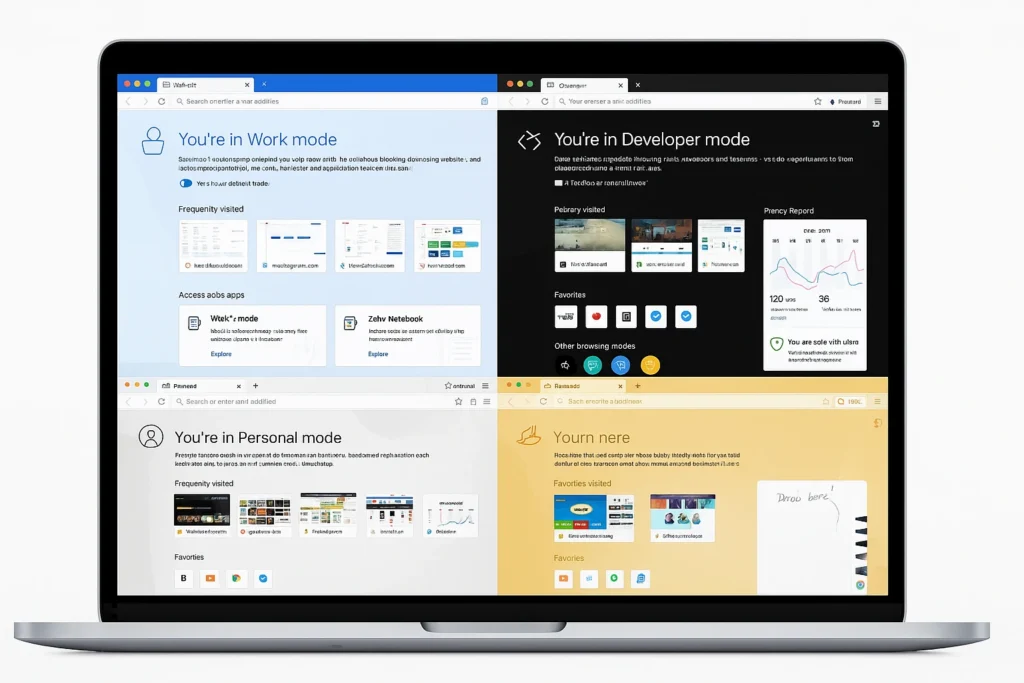
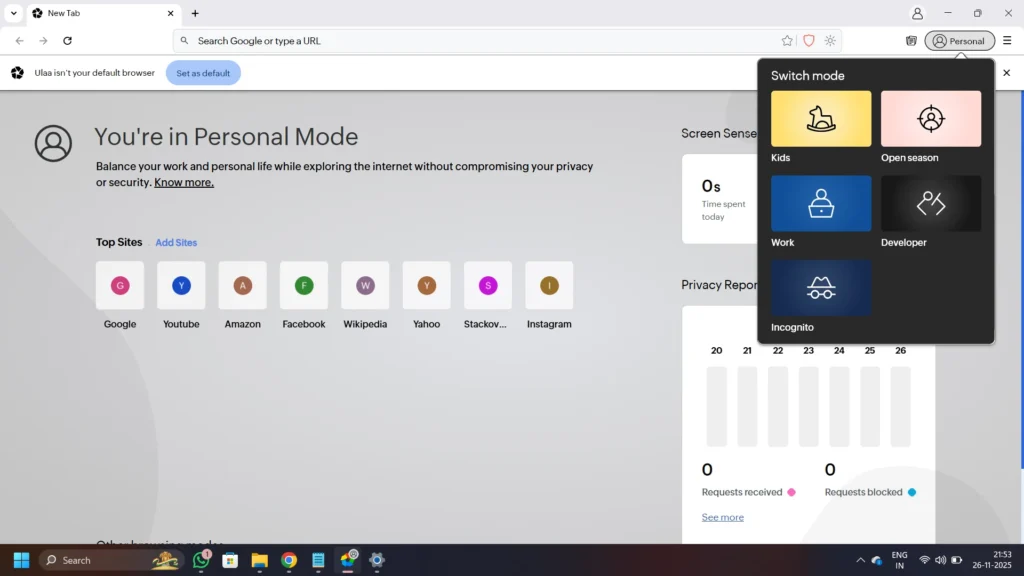
It comes with multiple browsing modes Work, Personal, Open Season, Developer, and Kids Mode each created for a specific purpose. You can easily switch between them and keep your activities separate.
With a simple and clutter-free design, the Zoho Ulaa user interface makes browsing calm and efficient.
Key Features That Stand Out
Privacy and Security
Ulaa takes privacy seriously.
- Private Mode: Keeps your browsing history completely safe.
- Anti-Tracking Tools: Stops websites from following your online behavior.
- Ad Blocker: Removes unnecessary ads to speed up your browsing.
- Zoho Security Features: Built-in protection against phishing and harmful sites.
If you’re searching for the best privacy browser of 2025, this one’s hard to beat.

Productivity Tools
Browsing should make work easier – not slower.
- Separate Work Modes: Keep personal and work tasks apart.
- Smart Tab Management: Save and restore groups of tabs instantly.
- Minimal Design: Stay focused without visual clutter.
These make Ulaa not just a browser, but a real business productivity tool.
Business Integration
One of Ulaa’s biggest strengths is how well it connects with Zoho’s ecosystem – like Zoho CRM, Zoho Desk, and Zoho Projects.
This means teams can collaborate, track data, and manage clients directly through the Ulaa browser without switching apps.
Zoho Ulaa vs Other Browsers
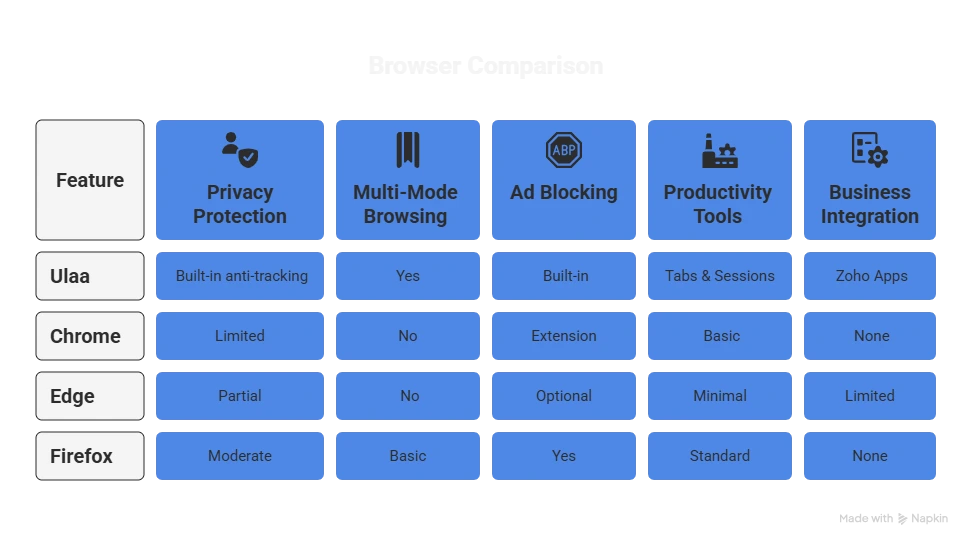
When comparing Zoho Ulaa vs Chrome, Zoho Ulaa vs Edge, or Zoho Ulaa vs Firefox, it’s clear – Ulaa is more privacy-focused, feature-rich, and productivity-driven.
Why Professionals Choose Ulaa?
For business users, Ulaa offers a smart way to stay organized and secure:
- Keeps personal and work browsing separate.
- Protects sensitive information from trackers.
- Boosts team collaboration through Zoho integration.
Imagine a marketing team managing CRM data and research in one place – safely and efficiently. That much powerful is Zoho’s Ulaa Browser.

How to Get Started
Here’s how to begin with Ulaa :
- Visit Ulaa’s official website and download Ulaa.
- Choose your preferred mode – Work or Personal.
- Enable ad-blocking and privacy settings.
- Log in with your Zoho account to connect apps.
#Tip: Try Work Mode when you need zero distractions.
Conclusion
The Zoho Ulaa Browser is more than just another browser – it’s a complete browsing experience built around privacy, productivity, and smart integration.
If you value control over your data and want a faster, cleaner way to work online, Ulaa is worth exploring.
Experience browsing designed for focus, safety, and efficiency – with IV Corporation, your trusted Zoho Partner.